Chrome DevTools extension · v1.0.0

Network traffic in DevTools, made readable.

A DevTools tab that names each request by what it does and decodes what it carries.

No permissions needed · Your traffic stays in your browser · Free and open source

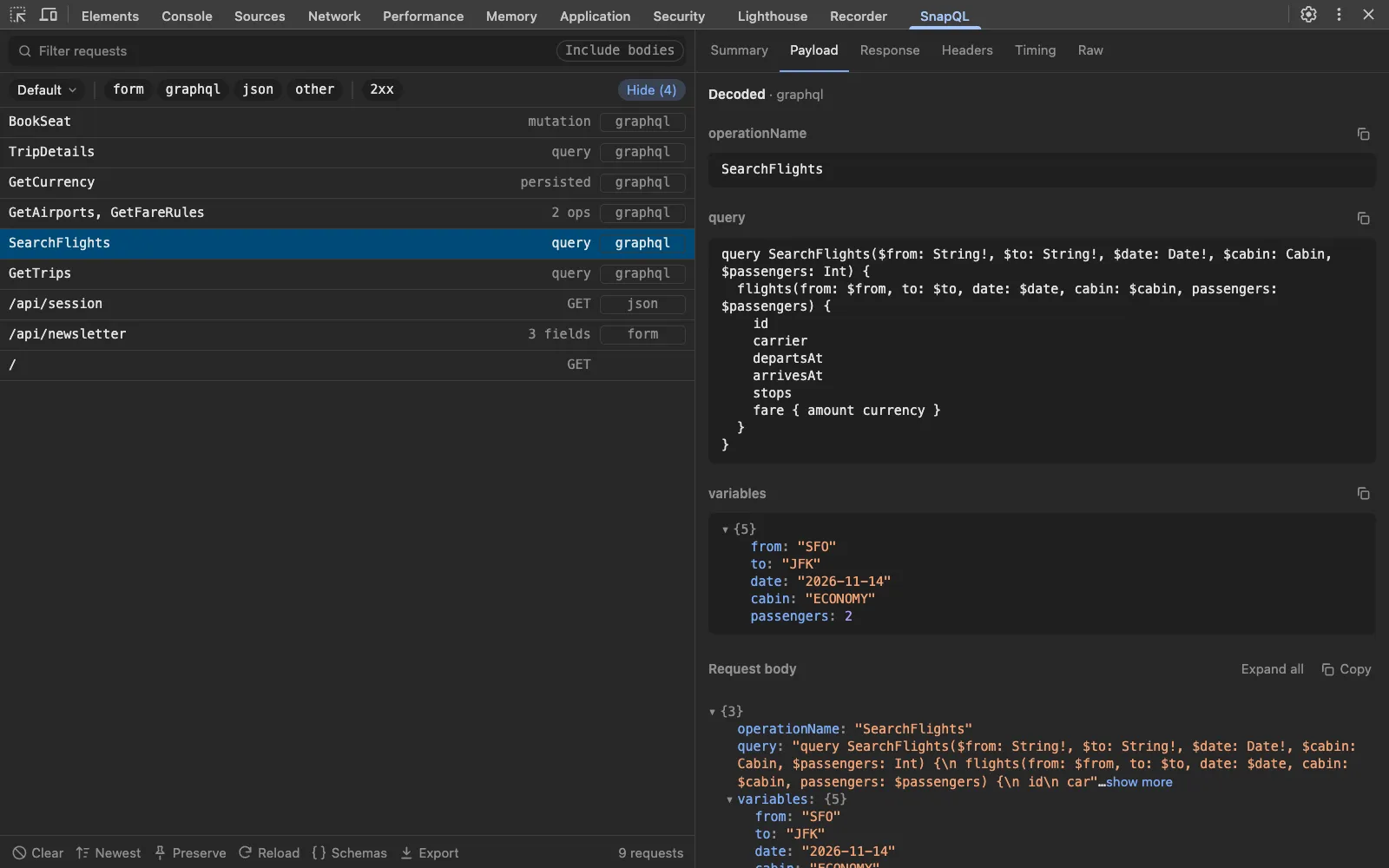
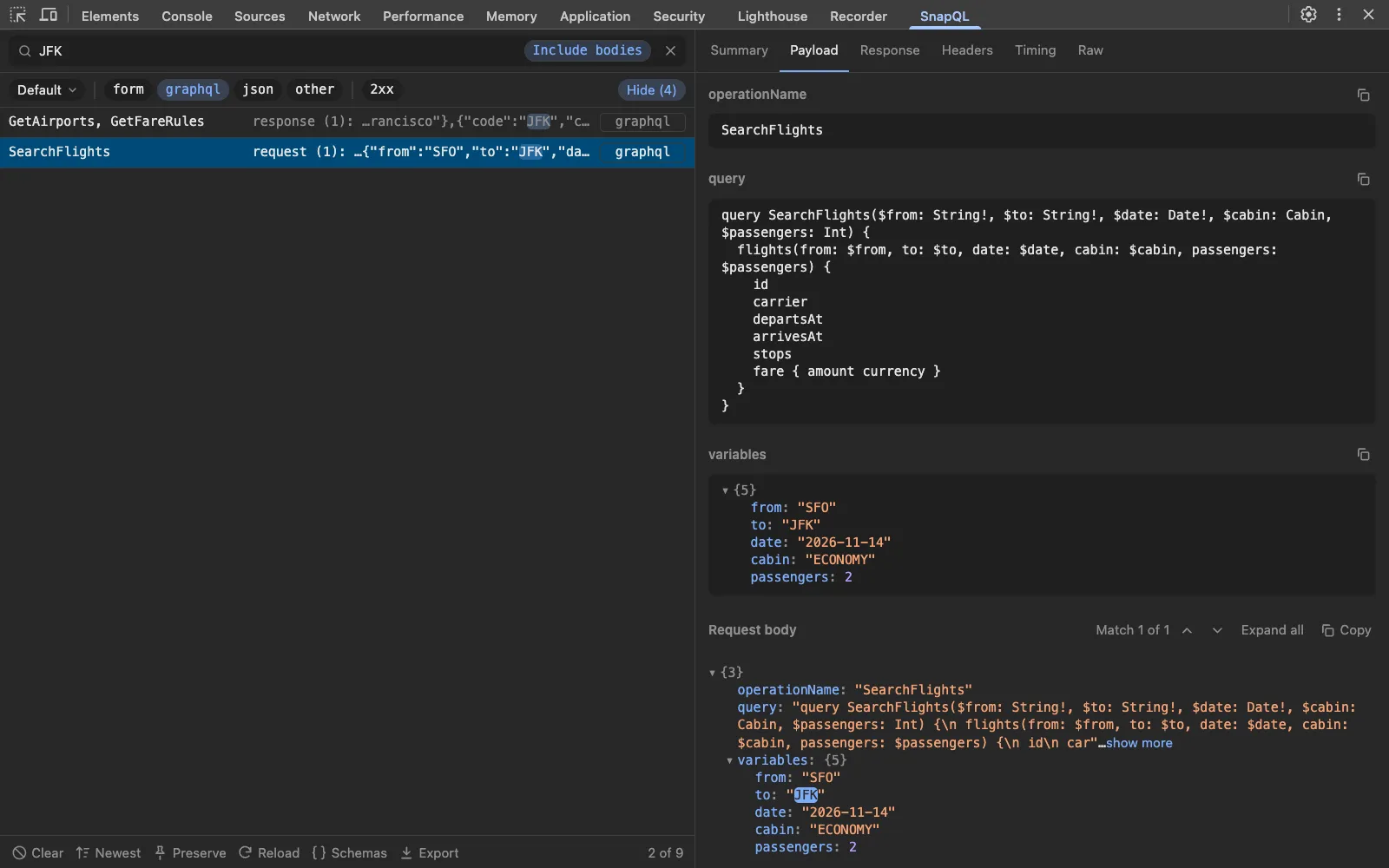
SnapQL listing GraphQL operations by name, with the SearchFlights query and its variables decoded.

Workspaces

A saved view for every project you debug.

Pick the protocols and status codes you care about, hide the rest, and give it a name. Every change saves as you make it, and your workspaces are there each time you open DevTools.

  • Filter what mattersShow only the protocols (graphql, grpc-web, websocket, llm…) and statuses (2xx, 4xx, failed) you're working on.
  • Hide the noisePreflights, cached responses, service worker copies and static assets stay out of the list, out of the box.
  • Switch in one clickJump between projects from the first button in the filter row. Nothing to save, nothing to set up again.
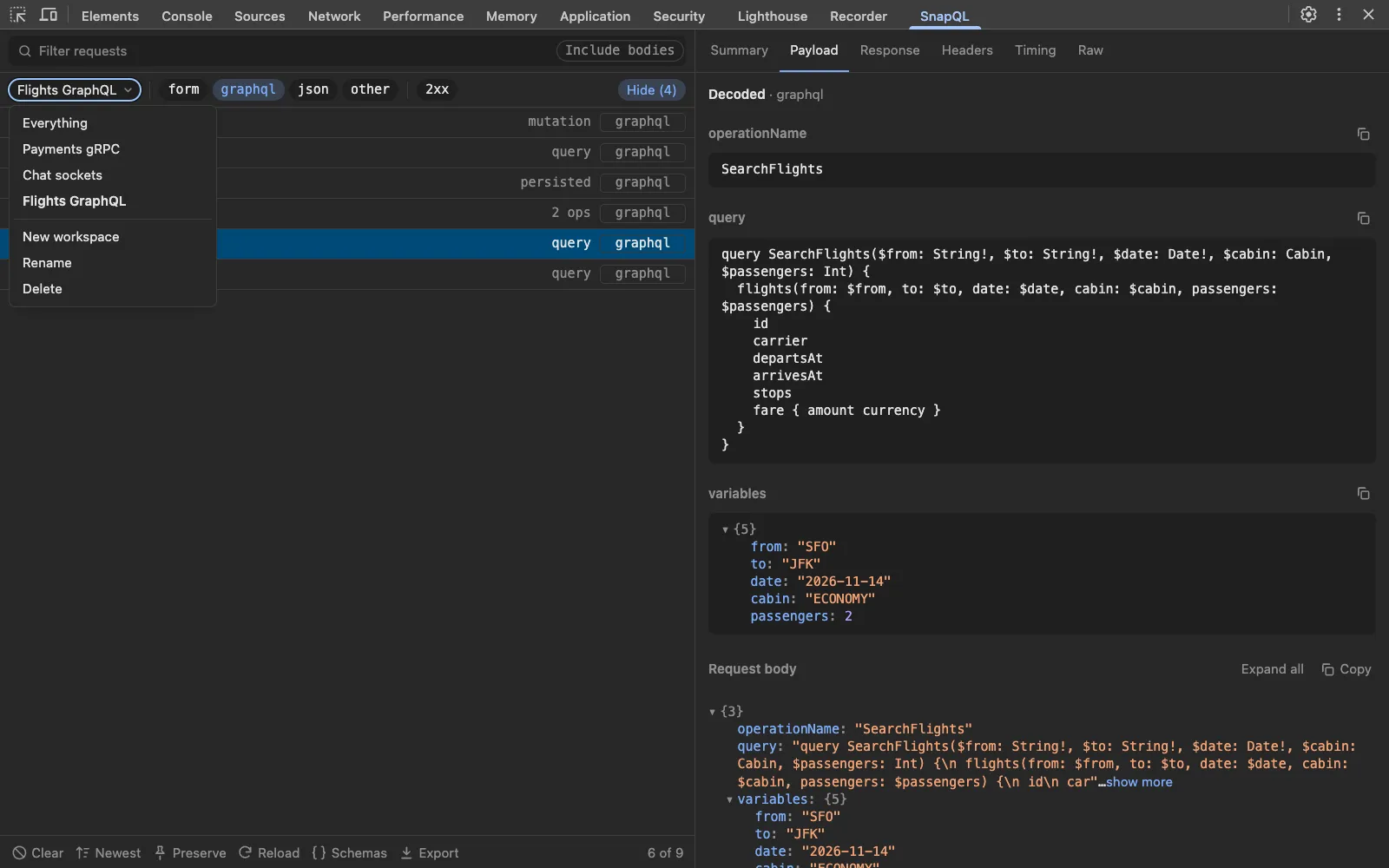
The workspace menu open in SnapQL, listing Everything, Payments gRPC, Chat sockets and Flights GraphQL, with Flights GraphQL active and only graphql requests shown.

What it decodes

From what's on the wire to what you meant.

GraphQL

Operations by name, with variables, batches, persisted queries and @defer.

On the wire

POST /graphql
{"operationName":"SearchFlights","query":"query SearchFlights($from: String!, $to: String!, $date: Date!) { flights(from: $from, to: $to, date: $date) { id carrier fare { amount currency } } }","variables":{"from":"SFO","to":"JFK","date":"2026-11-14"}}

In SnapQL

SearchFlights  query
from: "SFO"   to: "JFK"   date: "2026-11-14"

gRPC-web

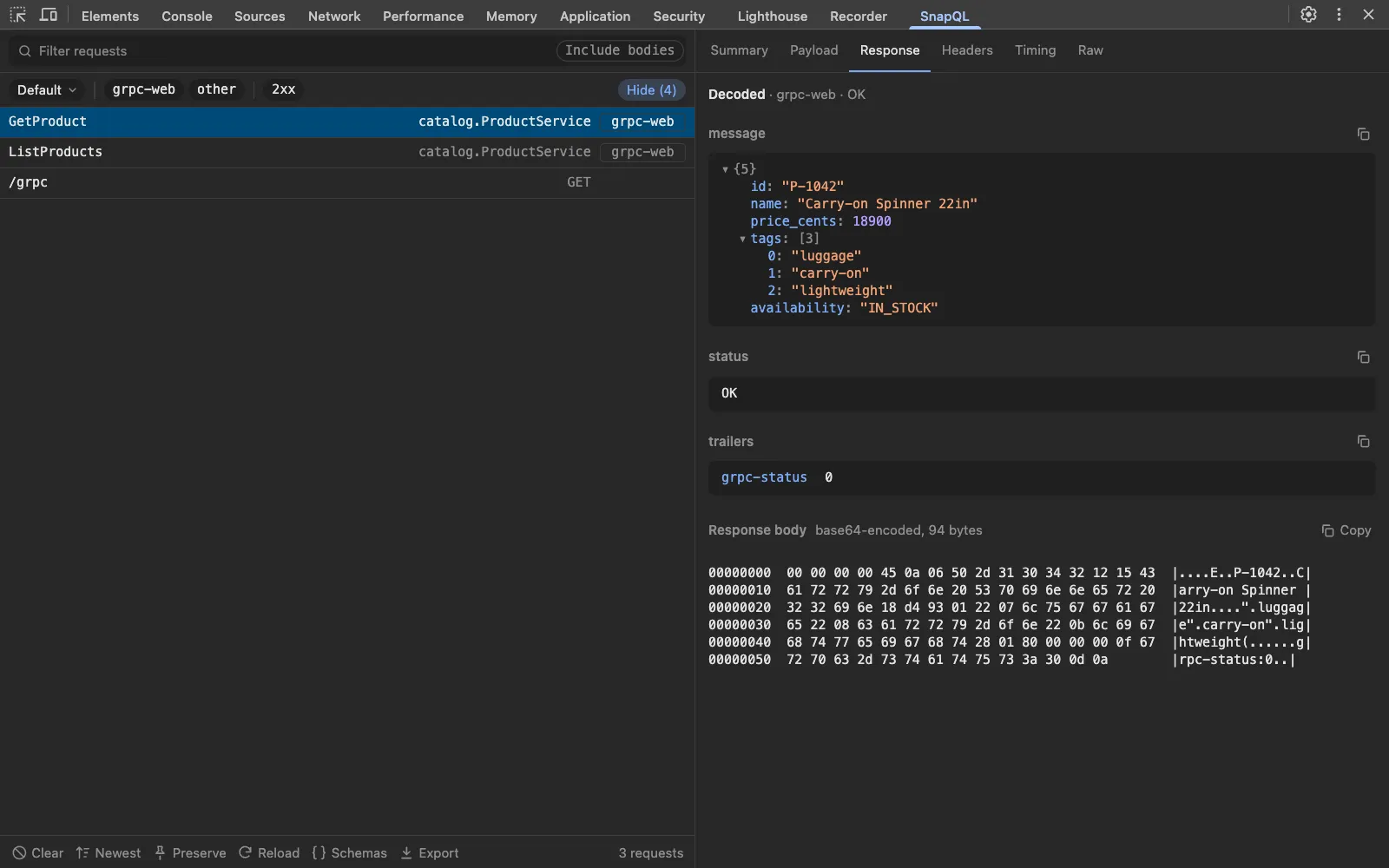
Readable with no schema, and fully named once you add your .proto files.

On the wire

AAAAABkKBnNrdS00MhINVHJhaWwgcnVubmVycxgC

In SnapQL

GetProduct  catalog.ProductService
sku: "sku-42"
name: "Trail runners"
status: IN_STOCK

WebSocket

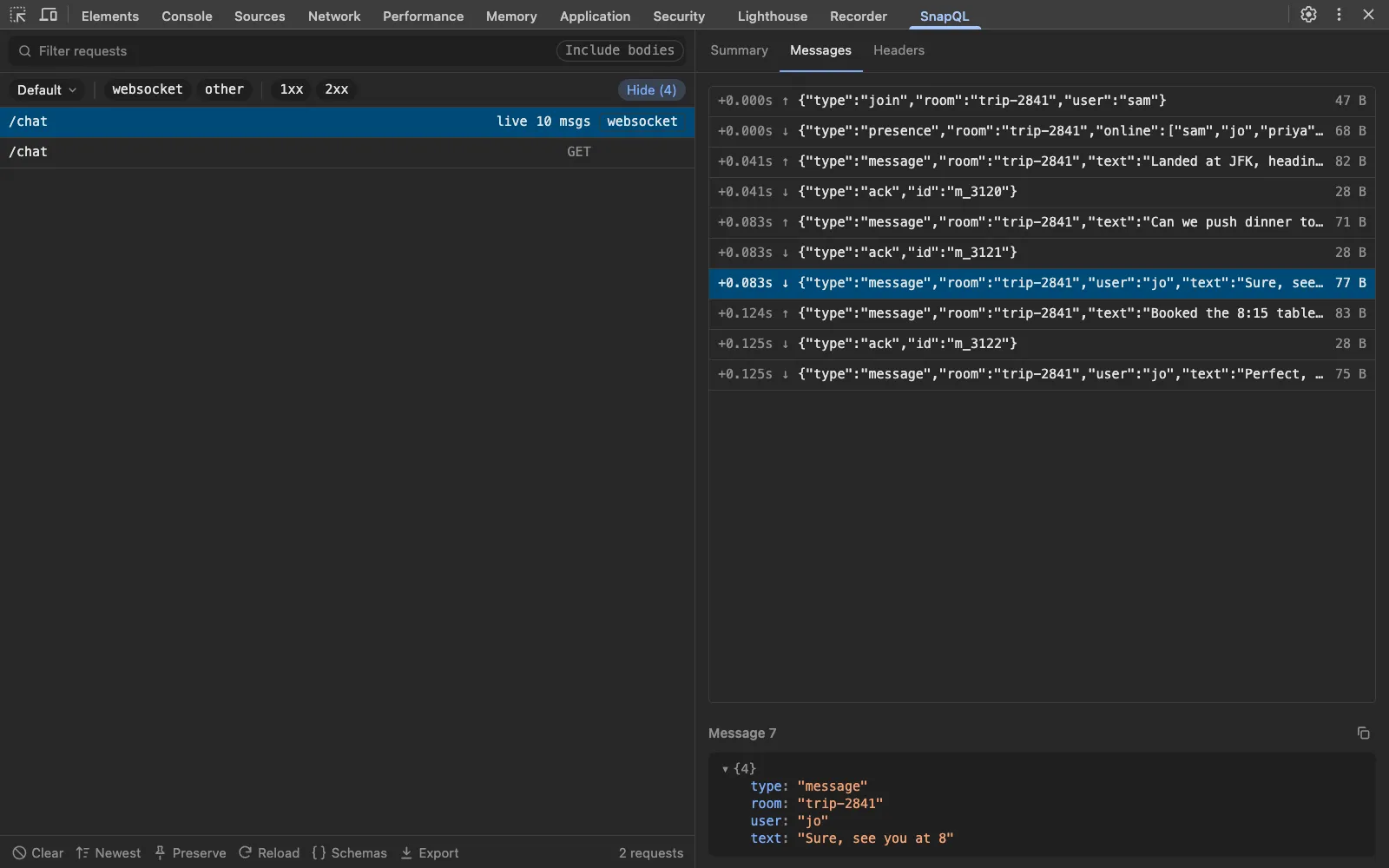
Every frame of a connection, including Socket.IO and graphql-ws.

On the wire

42["message",{"room":"ops","text":"Deploy done"}]

In SnapQL

message  Socket.IO
room: "ops"
text: "Deploy done"

LLM streams

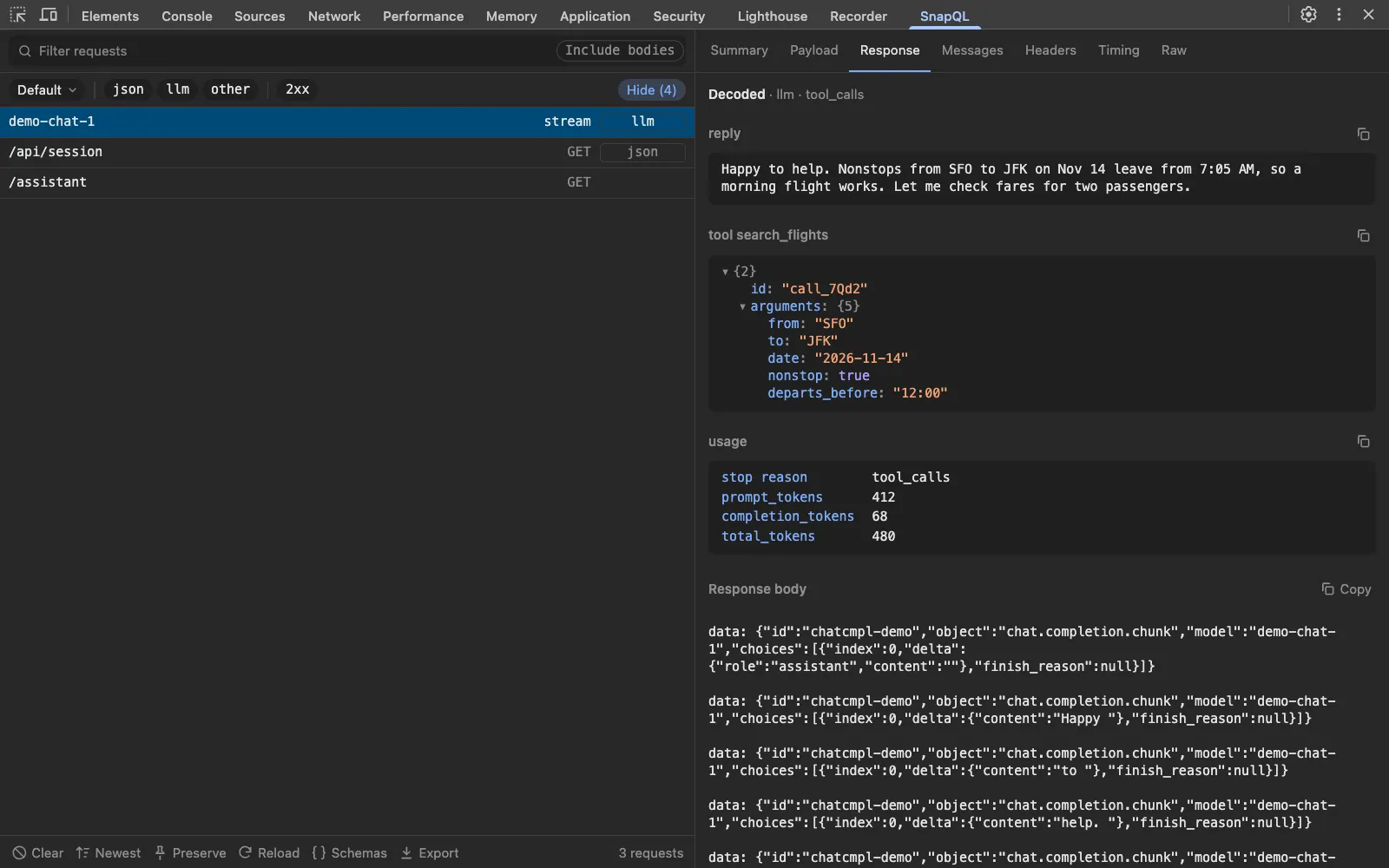
OpenAI and Anthropic streams, put back together into the reply, thinking, tool calls and usage.

On the wire

data: {"choices":[{"delta":{"content":"Two"}}]}
data: {"choices":[{"delta":{"content":" nonstop flights"}}]}
data: {"choices":[{"delta":{"tool_calls":[{"index":0,"function":{"name":"search_flights","arguments":"{\"fr"}}]}}]}

In SnapQL

Reply      Two nonstop flights leave SFO on Nov 14.
Tool call  search_flights({"from": "SFO", "to": "JFK"})
Usage      412 in · 38 out

JWTs

Tokens in headers and cookies, opened up.

On the wire

Authorization: Bearer eyJhbGciOiJIUzI1NiIsInR5cCI6IkpXVCJ9.eyJzdWIiOiJ1XzQyIiwicm9sZSI6ImFkbWluIiwiZXhwIjoxNzk4NzYxNjAwfQ

In SnapQL

sub: "u_42"
role: "admin"
exp: 1798761600

MessagePack

Binary bodies in MessagePack and CBOR.

On the wire

82 a3 73 6b 75 a6 73 6b 75 2d 34 32 a3 71 74 79 02

In SnapQL

sku: "sku-42"
qty: 2

And the everyday ones

Formatted, searchable and copyable.

  • REST and JSON
  • Form data
  • Multipart
  • XML
  • SOAP
  • JSON-RPC
  • tRPC
  • CBOR
  • Server-sent events
  • NDJSON
  • Images
  • Fonts

Quick start

Running in under a minute.

  1. 1

    Install

    Add SnapQL from the Chrome Web Store. It asks for no permissions.

  2. 2

    Open DevTools

    On your app, right-click and choose Inspect, or press F12.

  3. 3

    Pick the SnapQL tab

    It sits beside Network. If it's hidden, find it under the » menu.

  4. 4

    Use your app

    Requests appear as they happen. Reload to catch the ones sent on load.

Good to know

Search bodies. Turn on Include bodies to match text inside requests and responses, then step through the hits.

Name gRPC fields. Add your .proto files under Schemas. They stay on your machine.

Share a request. Copy it as cURL or fetch, or export a HAR with tokens, cookies and passwords redacted.

Privacy

Your traffic never leaves your browser.

SnapQL requests no permissions. It reads traffic through the DevTools APIs every extension has, and only while DevTools is open.

It collects nothing and sends nothing anywhere. Captured requests are discarded when you close DevTools. The only things it keeps are your workspaces and any .proto files you add, in the extension's local storage on your device.

The code is open source, so you can check all of this yourself.